
Didan Pos
Easy, customizable, fast and secure
Download the app now from the Google Play store. Get started right away.
 Features
FAQ
Web application
Features
FAQ
Web applicationFeatures
Didan pos; It is a restaurant pos application designed for restaurants, coffee shops, food and beverage service businesses. At the same time, it is used by many different businesses thanks to its customizability.
Quick setup
• You can start using it immediately by installing the application from the Play store.
• You enter a few basic information about your restaurant.
• You write the names of the floors (or sections) and the number of tables they contain.
• You write the category names for the menu.
• You can change all the data you entered in the quick setup later. And you can make additions.
 Watch the video
Floors (or sections)
• It is for you to manage the floors created with quick setup when you need them.
• It is possible to add, delete, edit, activate or inactivate.
• You can sort by priority.
Tables
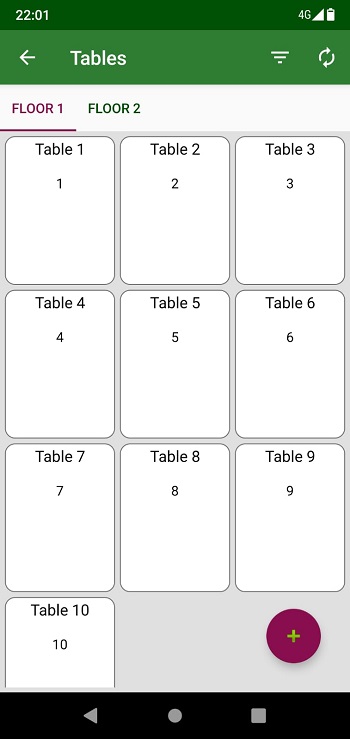
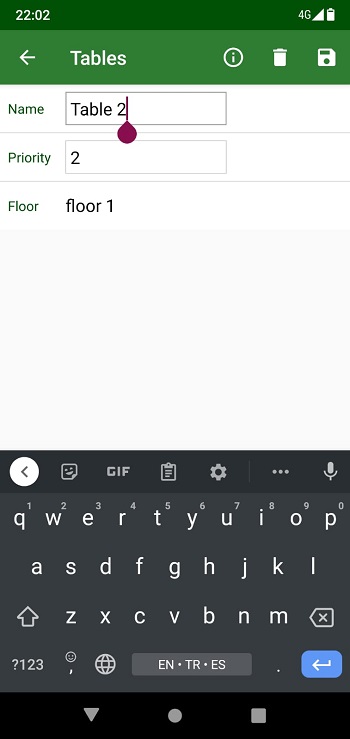
• With quick setup, table names are created sequentially. You can rename tables.
• You can change the floor it is on.
• It is possible to add, delete, edit, activate or inactivate.
• You can sort by priority.
Categories
• You can manage the categories you have created in a quick install.
• It is possible to add, delete, edit, activate or inactivate.
• You can sort by priority.
Menu
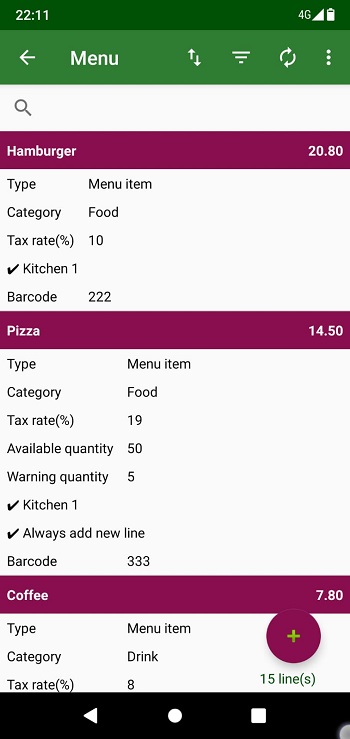
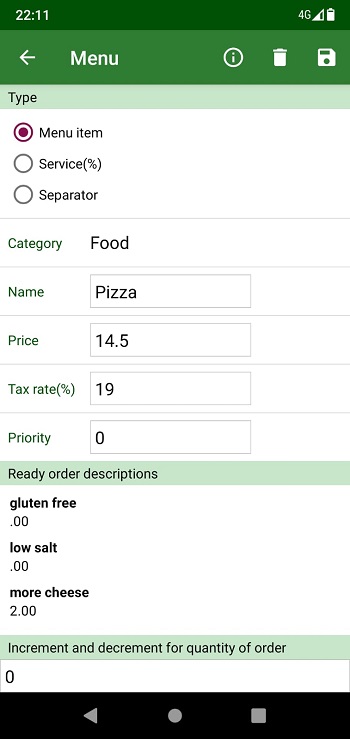
• Menu items basically consist of category, name, price and tax rate.
• If you need, you can specify a kitchen.
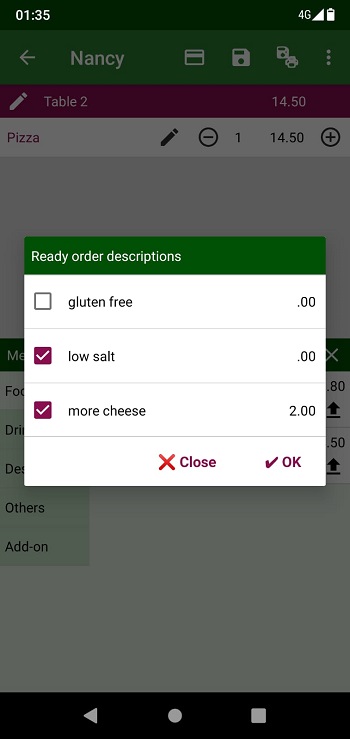
• You can define ready order descriptions. These are additional properties for menu items. If you want, you can set a price for these features. They can act as subcategories.
• If you are going to follow the stock, you can specify the relevant parameters.
• You can set parameters for the order entry stage.
• You can specify a barcode for the menu item. It is possible to read by hand with the device camera. Or you can write it manually.
• You can write notes.
• It is possible to add, delete, edit, activate or inactivate.
• You can sort by priority.
• It is possible to define a service as a menu item. You type in a name and set a percentage instead of a price. Using this percentage, the amount is automatically calculated over the order total. Tip, delivery fee, etc. purposes you can use.
• It is possible to define a separator as a menu item. It consists of a line. Of course it is possible to change this. It is mostly used in the kitchen to separate menu items.
• You can do a quick search with the search box. It is also possible to filter the menu items according to many fields.
• You can easily change the prices of filtered or all menu items. You can use + or - price or + or - percentage for it.
• Can create menu items by importing them with CSV(Excel) file.
Customers
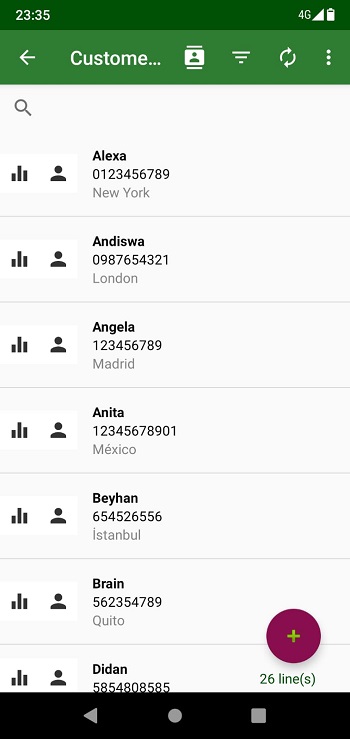
• Customers basically consist of name, phone, email and address.
• You can write notes and extra information if you need.
• You can create customers from your contacts. Or you can transfer it from your customers to your contacts.
• You can create your customers by importing them with a CSV (Excel) file.
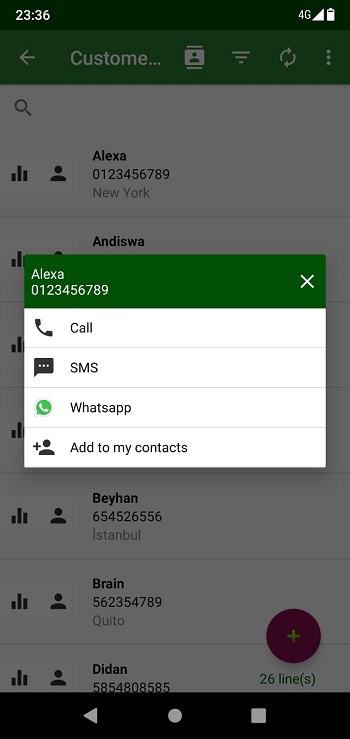
• Includes shortcuts such as Call, SMS, Whatsapp.
• It is possible to add, delete, edit, activate or inactivate.

Order
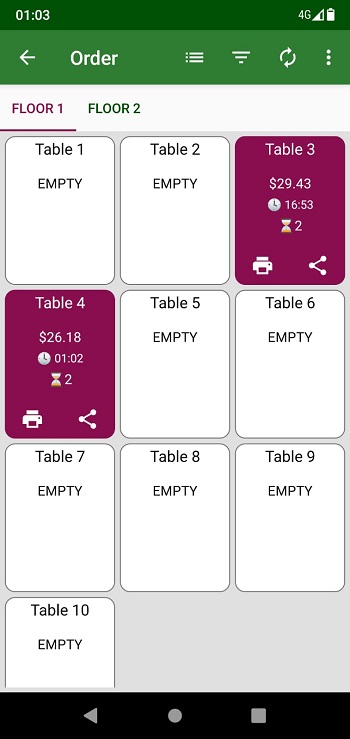
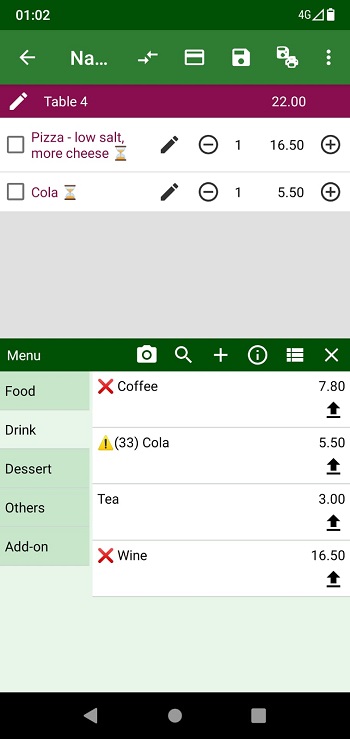
• It can create orders for the table and/or customer.
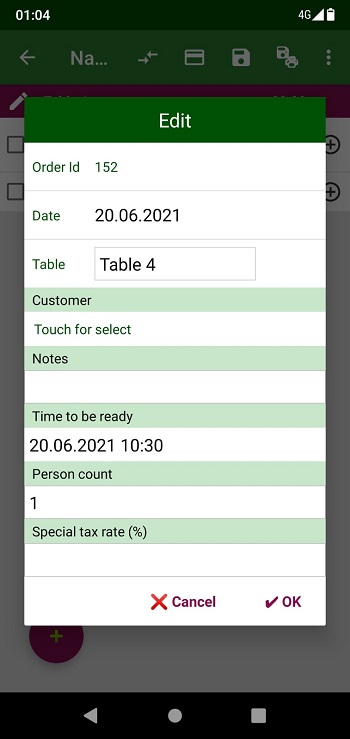
• When creating an order for the table, it is possible to rename the table or select a customer.
• Time to be ready. Person count. Custom tax rate for the order. And you can add order note.
• There are many ways to add products to an order.
• You can quickly access the products by touching the categories.
• If you have set a Barcode for the product, you can add it by scanning the device's camera.
• By tapping the search icon. It is possible to search by product name, price or barcode number.
• If you have specified "order ready descriptions", you can select them during the order. You can also write descriptions by manually for the lines.
• You can split existing order lines.
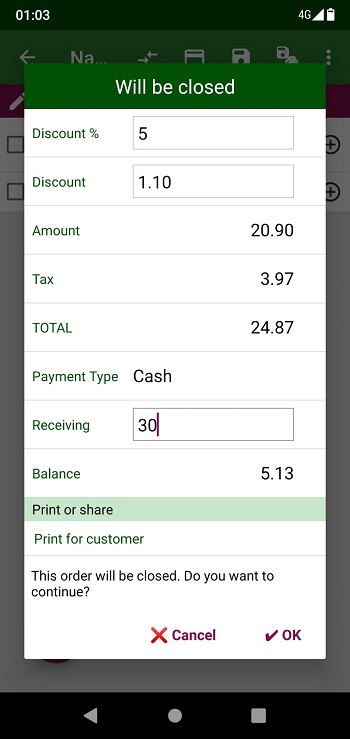
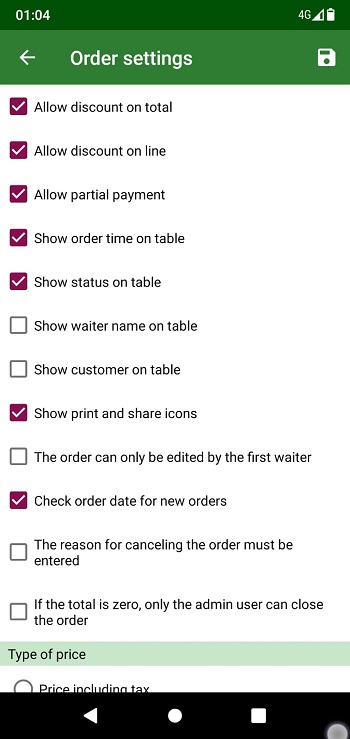
• You can apply a discount on the line and the total with numbers or percentages.
• You can change the table. By dividing the order, you can transfer some of it to another table. You can join orders from two tables.
• It is possible to make partial payment by selecting the order lines.
• You can use more than one payment type for the order.
• You can create many payment types such as cash, credit card.
• Automatically calculates balance for cash.
• You can use tax included price or tax exclusive price.
• You can cancel the outgoing payment.
• You can cancel the order. if you want, you can write "reason for cancellation" when canceling.
• You can undo canceled orders.
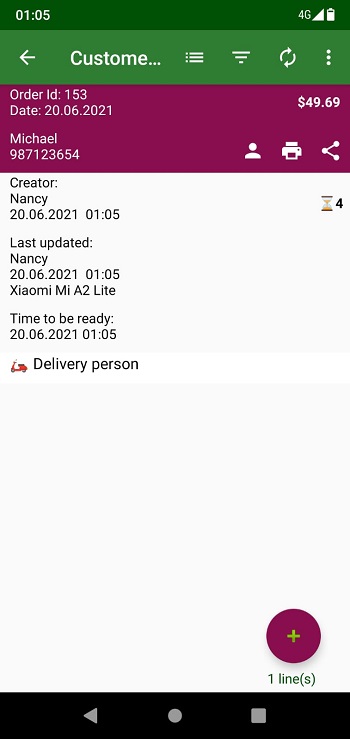
• You can create an order for the customer (without table, take away)
• You can convert a table order to a customer order.
• You can specify a delivery person for the customer order.
• You can share the order with your customers via whatsapp, sms, email.
• You can quick sale.
• It also contains many parameters that you can customize.
Printing
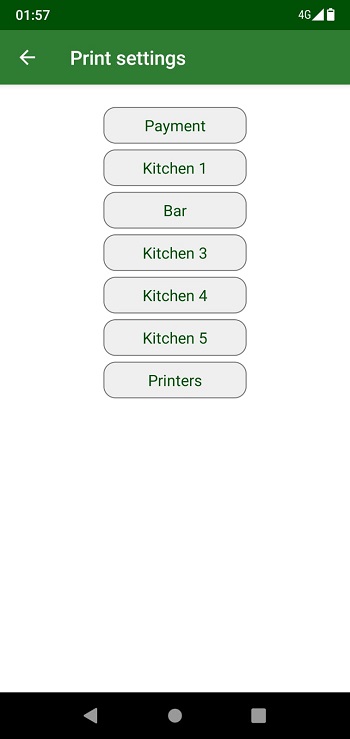
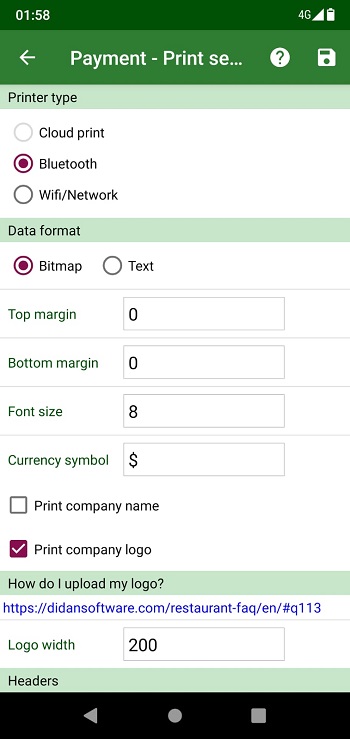
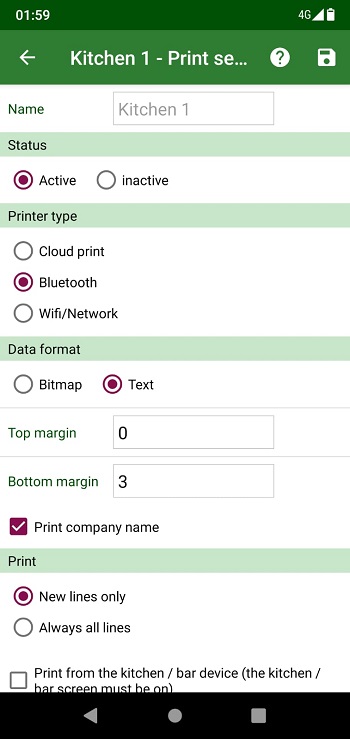
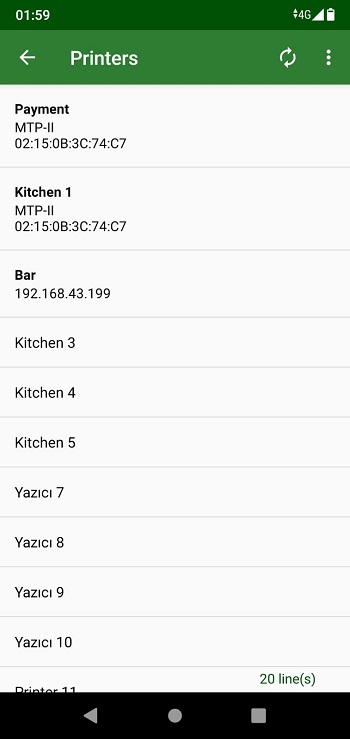
• You can use a Bluetooth, Wifi or Network(Lan) printers to print from Android devices.
• You can print from a PC using the web application. You can use any wired or wireless printer compatible with your PC.
• You can print the order for customers or kitchens.
• You can customize the print out with selecting fields of order.
• You can add additional information.
• You can upload your logo and print it with the order.
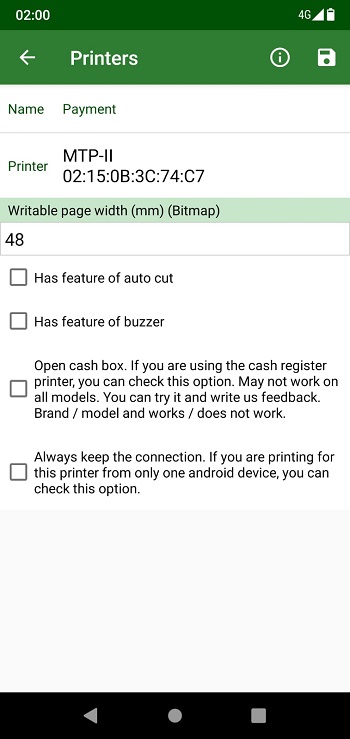
• If your printer supports, you can use features such as auto cut, buzzer and opening the cash box.
• It is also possible to print some reports from Android devices. End of day, Summary of the day, Invoice list etc.
Users and authorization
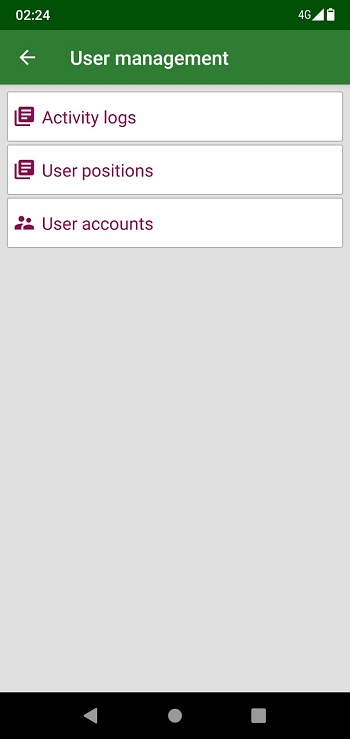
• You can log in to the application with your Gmail account. Or you can use email and password for it.
• You can create users for each android device that you will use the application.
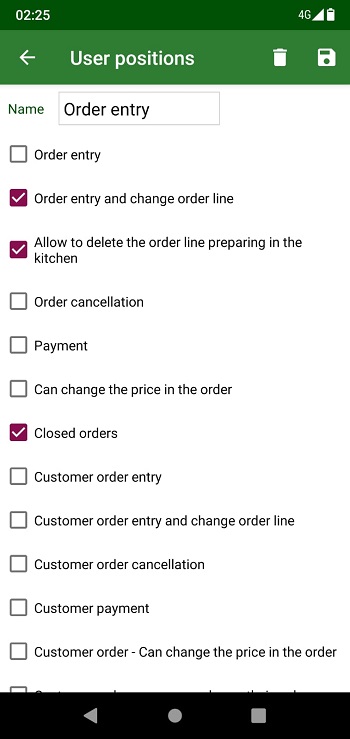
• It is possible to make very detailed authorization for users.
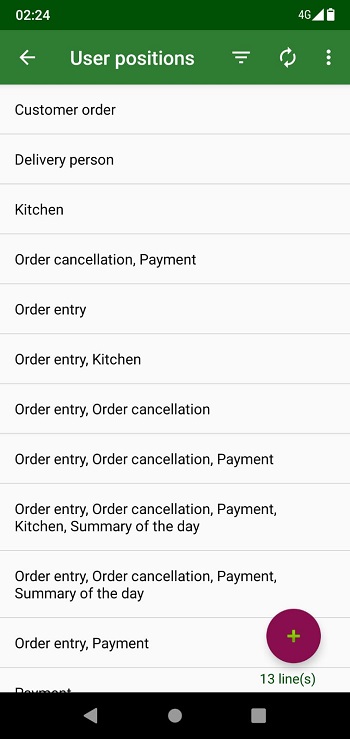
• User positions are used for it. Many ready user positions are available. You can customize them or create new ones.
• You can stop actions for your employees at any time with a single touch.
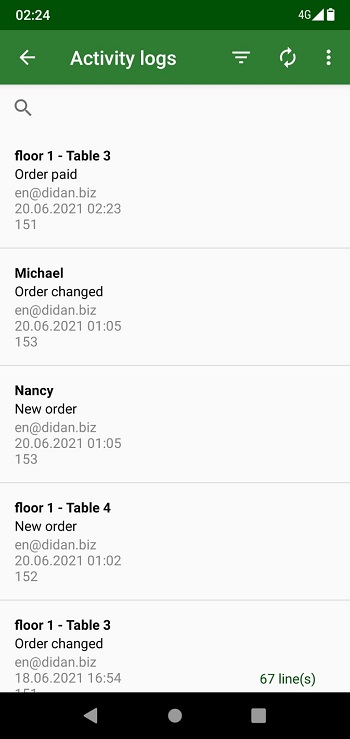
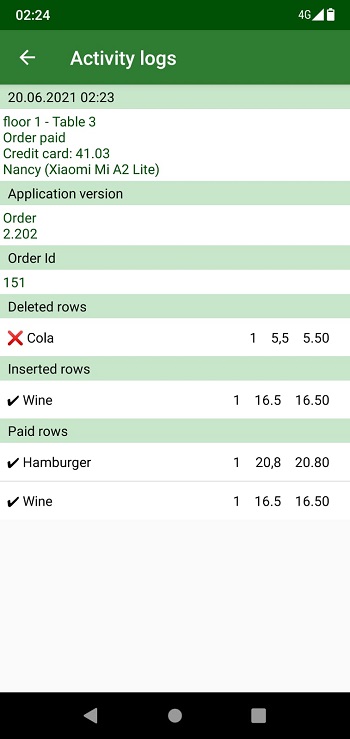
• With the activity logs, you can see all the transactions made on the orders in detail.
• Order and kitchen screens are automatically refreshed. You can see the transactions related to orders on the screen with in-app notifications.
Kitchens and bar
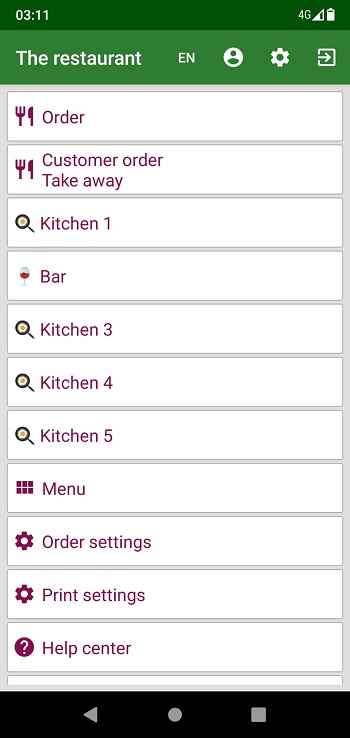
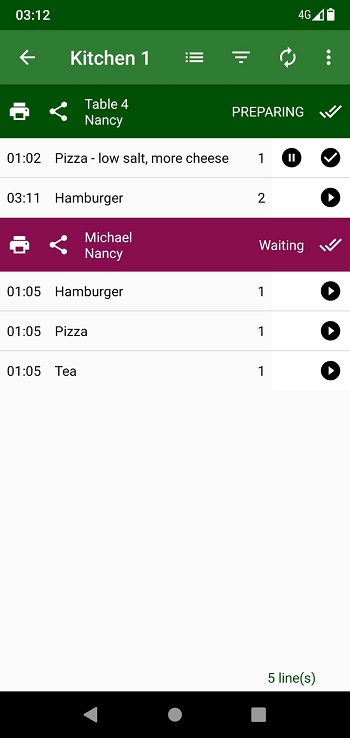
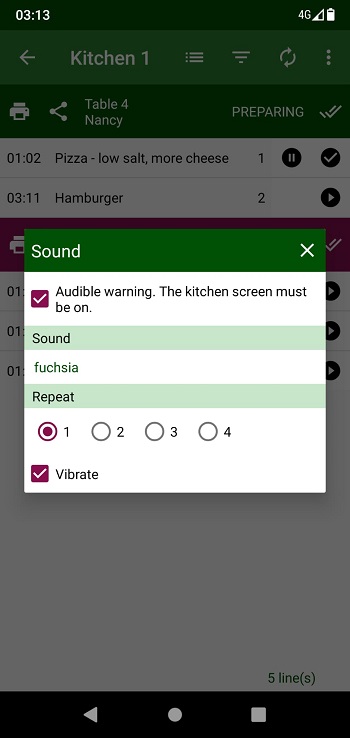
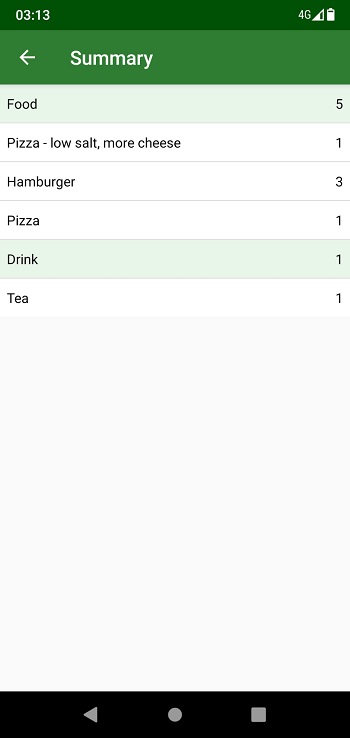
• It is possible to use the application for kitchens and bar.
• Your employees in the kitchen receive an audible alert for orders.
• They can change the status of the order. Preparing, Ready etc.
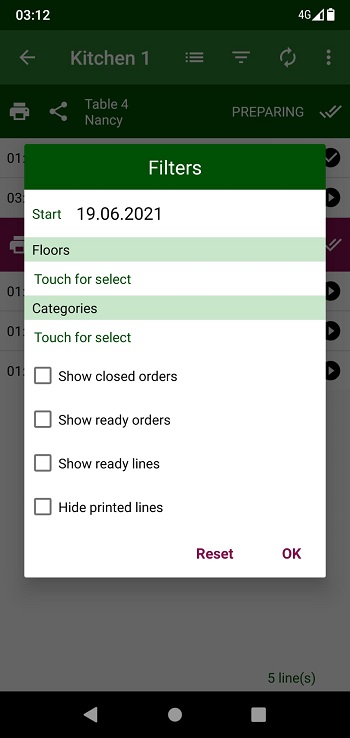
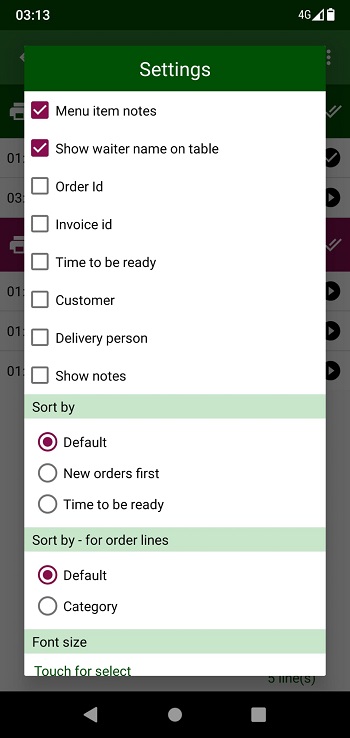
• There are many features that you can customize on this screen. Order information to display. Sorting. Font size etc.
• It is possible to automatically print new orders by connecting a printer.
Orders to be delivered
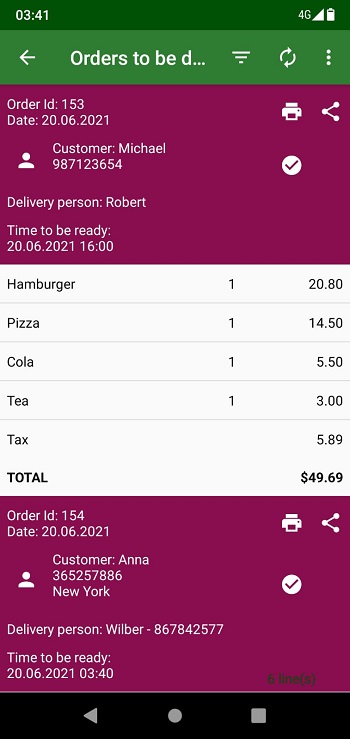
• It is for the use of your delivery persons that you specify for package orders.
• It includes customer information as well as information about the order.
• When your employee delivers a package order, he indicates this via the application.
• You will receive in-app notification for these transactions. You can follow it from the transaction history or related reports.
Inventory
• You can make incoming and outgoing of transactions.
• When the order is created, the related products are automatically deducted from the stock.
• You can get product report.
• You can see your remaining products.
• You can set warning quantity.
Watch the videoExpenses
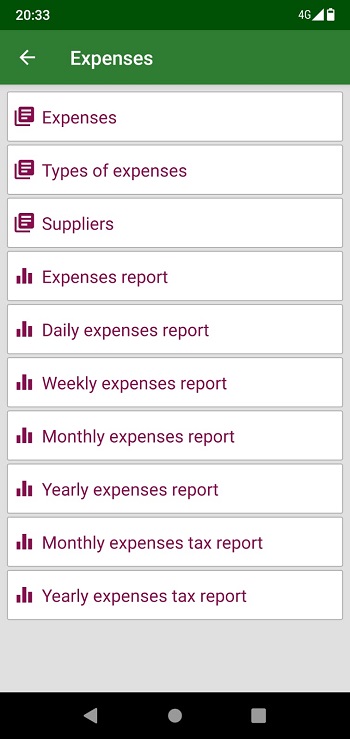
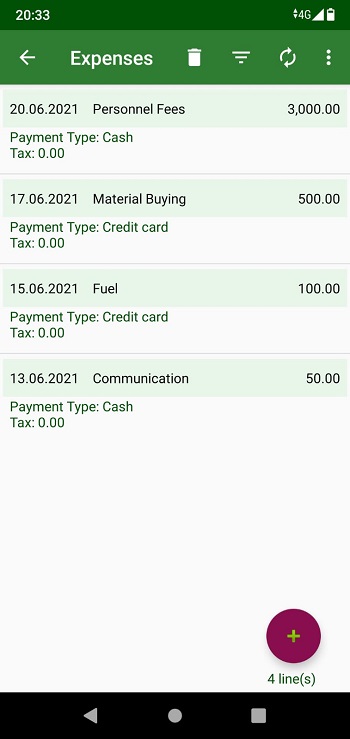
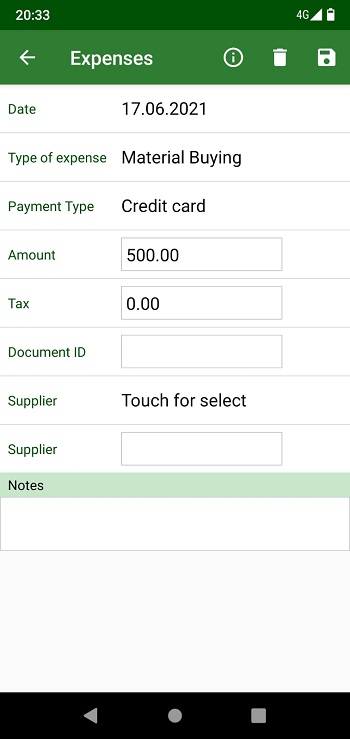
• You can manage your expenses.
• You can customize expense types or create new ones.
• You can optionally specify suppliers and taxes when creating expenses.
• You can create your suppliers from your contacts.
Reports
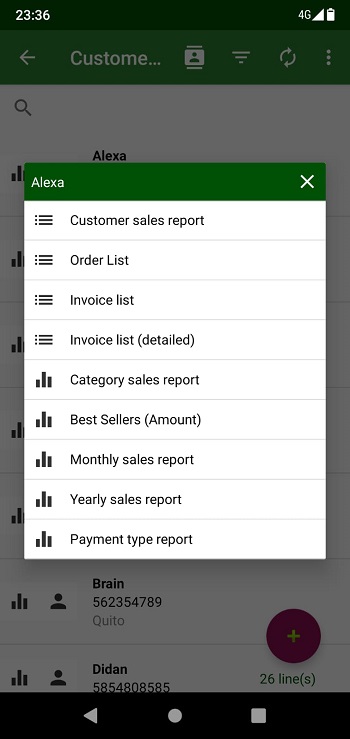
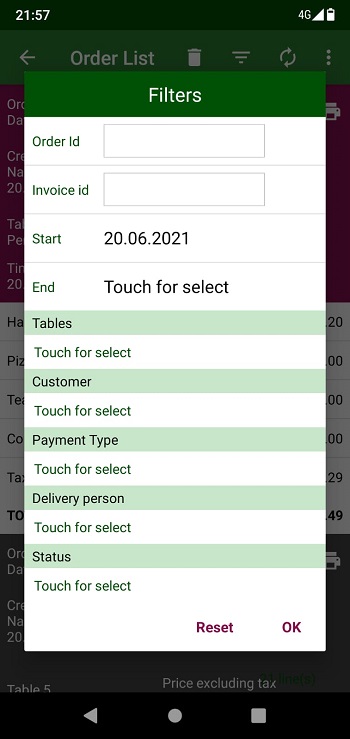
• You can filter the reports according to many fialds; Date range, Customer, Payment type, product, category, etc.
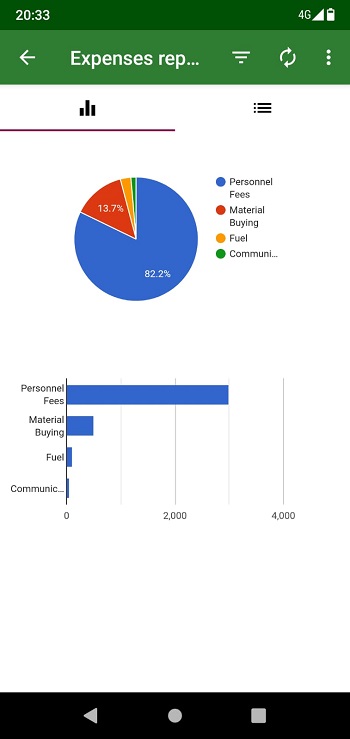
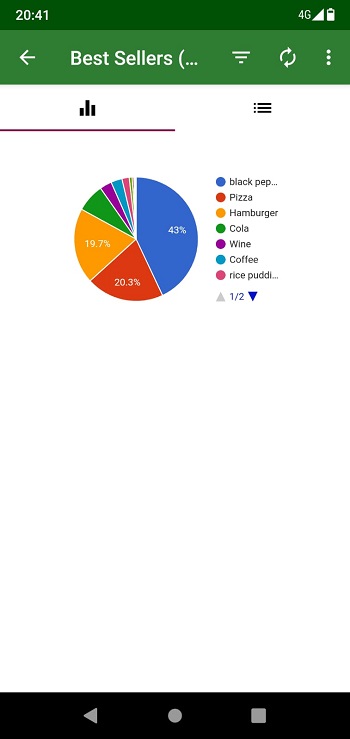
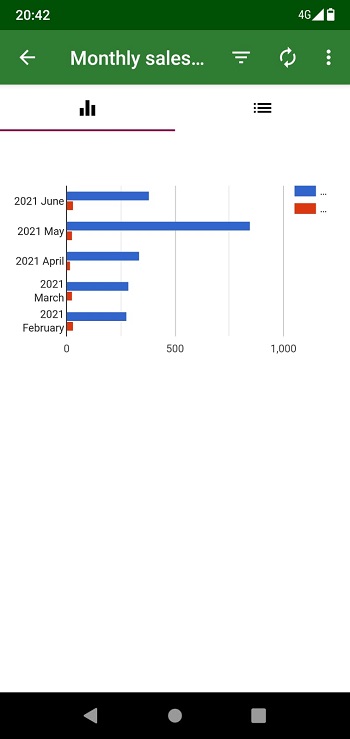
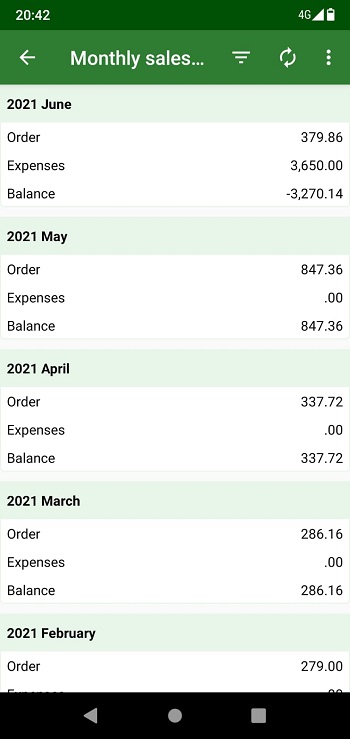
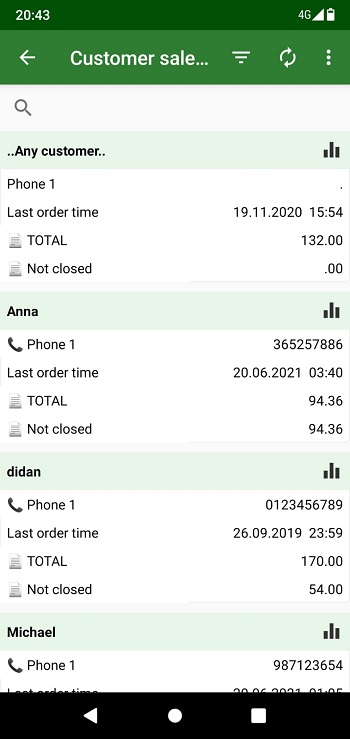
• Many reports have charts.
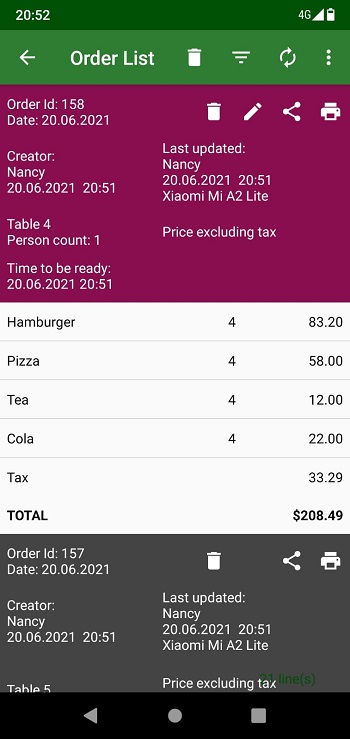
• For some reports, you can tap the lines in the list to see the details.
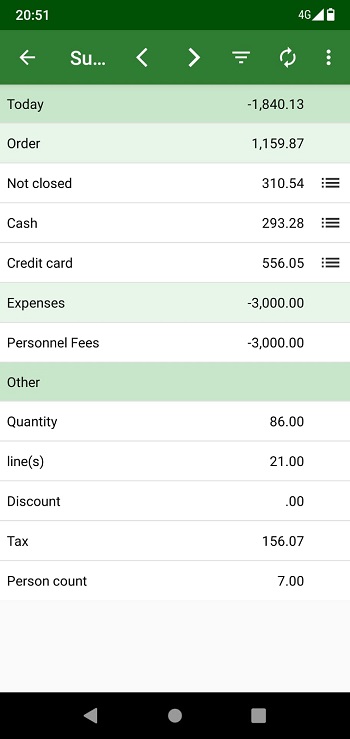
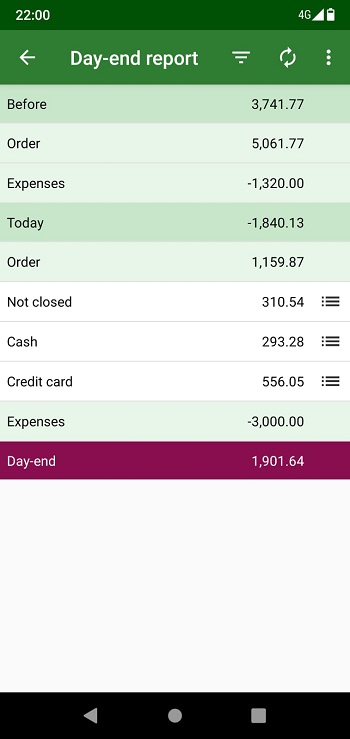
• Basic reports; Day-end, Summary of the day, Order list, Canceled orders, Invoice lists etc.
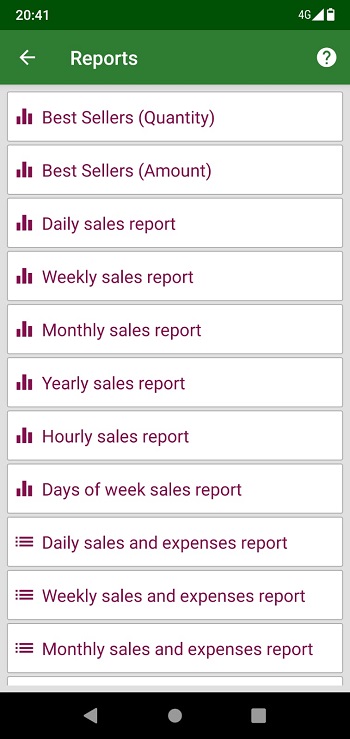
• Android app and web app contain many reports. In summary, it is as follows.
• Sales and order reports; Product, category, customer, supplier, user, device, floor, table, payment type, daily, weekly, monthly, yearly, hourly, days of the week, etc.
• Customer reports; Customer report, Best customers etc.
• Expenses reports; Daily, Weekly, Monthly, Annual, Expense types, Expense taxes etc.
• Inventory reports; Inventory transactions, Products report, Remaining products, etc.
• Discount reports; Daily, Monthly, Yearly
• Tax reports; Monthly, Yearly
Export data
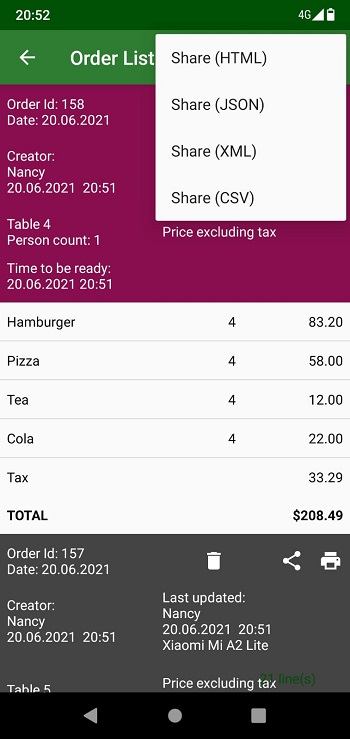
• You can export your data in different data formats with the "Share" option in the Android application. HMTL, CSV(Excel), JSON, XML
• You can export your data in different data formats with the "Export" option in the web application. HMTL, CSV(Excel), JSON, XML
• Products, Customers, Suppliers, Orders, Expenses etc. You can export all data.
• You can export all reports.
Maintenance, backup, hardware
• The application is cloud-based. In this way, it does not require maintenance and backup.
• Device problems cannot stop you. You can continue to use the application by logging into the application with the same user (email) on another device.
• You don't need any server. Much less cost.
• Internet data usage is very low.
• The application size is too small.
• You spend very little data for updates.
• Takes very little space on your Android device.
Supported languages
Azərbaycan, Català , čeština , Dansk, Deutsche , English , Español , Français , Indonesia , Italiano , Melayu , Nederlands , Norsk , Polskie , Português , Svenska , Hrvatski , Tiếng Việt , Magyar , Shqiptar , Latvian , Lietuvis , Türkçe , Ελληνικά , ພາສາລາວ , Македонски , български , русский , Српски , Українська , עברית , العربية , हिंदी , 日本人 , 한국어 , ไทย , 中文